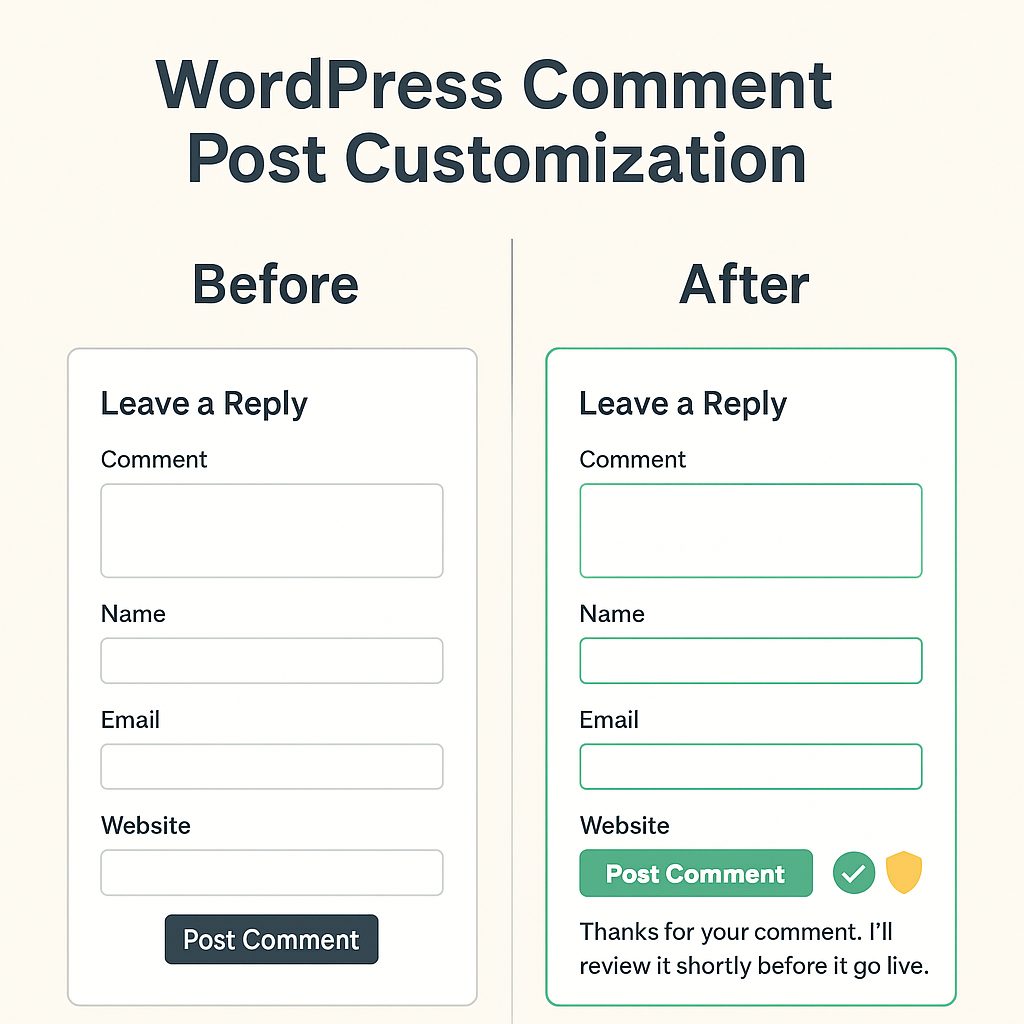
The default WordPress comment layout works, yes, but it looks like something left behind in an update from 2012. Flat gray boxes, zero personality, robotic messages. Not exactly the vibe when your website is part of your professional SEO portfolio.
So I did a full wordpress comment post customization to bring the whole experience to modern standards. Cleaner design, smarter moderation, better UX, and invisible anti bot protection.
Here is the full breakdown of what I changed, why I did it, the exact order, and how it upgrades your blog without needing heavy plugins or complicated fixes.
1. Start with behavior, not design
Before making the comment section pretty, I fixed how comments are handled behind the scenes.
I went to Settings → Discussion, because that is where WordPress decides who gets published, who waits, and who enters like a spam bot with confidence issues.
What I changed
• Activated manual approval
• Removed automatic approval for recurring emails
• Left pingbacks on, but under supervision
Why this matters for wordpress comment post customization
There is no point in styling a beautiful comment layout if bots will be the first ones using it.
Manual approval keeps control in your hands and protects the credibility of your content.
This is the foundation. Without clean logic, any customization becomes lipstick on a spam machine.
2. Rewrite the message users see after leaving a comment
Default WordPress message
“Your comment is awaiting moderation”
sounds like a machine filing paperwork. 😵💫
During the wordpress comment post customization, I replaced it with something human. 🤗
“Thanks for your comment. I’ll review it shortly before it goes live.”
Why this matters
Tone shapes perception.
Your site feels more trustworthy and intentional, and readers actually feel acknowledged.
Better UX leads to better engagement, and engagement is SEO.
3. Clean the CSS before adding new styles
You had old CSS rules interfering with image display and layout spacing.
So I deleted everything that was not serving the design and kept the styles that actually improved your brand visuals.
Why CSS cleanup belongs in wordpress comment post customization
• It prevents layout bugs on mobile
• It keeps your theme consistent
• It avoids conflicts with Spectra and Astra
• It improves loading performance
Once the clutter was gone, we added clean, modern styling for the comment form.
4. Fresh CSS for a modern, readable comment form
At this point I asked AI (ChatGPT) to help me with the CSS, because this part is pure code. But keep in mind this snippet is customized for my website branding, not a one size fits all solution.
/* Comment form styles */
.comment-form textarea,
.comment-form input[type="text"],
.comment-form input[type="email"],
.comment-form input[type="url"] {
  width: 100%;
  padding: 12px;
  border: 1px solid #d1d5db;
  border-radius: 6px;
  margin-bottom: 12px;
  font-size: 16px;
}

.comment-form .submit {
  background: #2f3e46;
  color: #fff;
  padding: 12px 22px;
  border-radius: 6px;
  cursor: pointer;
  font-size: 16px;
  transition: all .3s;
}

.comment-form .submit:hover {
  background: #5c7c89;
}
Why this improves UX and SEO
Design affects reading flow.
Reading flow affects engagement.
Engagement affects rankings.
A simple wordpress comment post customization like this tells readers
“This site is alive, updated, and carefully maintained.”
5. Optional invisible anti bot protection
The honeypot method adds a fake hidden field that bots always fill and we humans never see (an invisible trap to catch bots and stop spam without using CAPTCHA or heavy plugins).
If that field arrives with text, WordPress discards the comment.
Why it works perfectly with this customization
• Zero friction for real users
• No CAPTCHA
• No heavy plugins
• Pure logic based filtering
If you want, this can be added next.
6. The final result
After completing the wordpress comment post customization, your site now has
✔ a cleaner interface
✔ protection against spam
✔ a personalized message
✔ consistent brand design
✔ modern spacing and readability
It feels like a professional site built intentionally, not like a default installation.
And that difference is exactly what hiring managers notice.